
Magento 2 Global Payments
Introduction
Our Global Payments extension connects your Magento 2 e-commerce website with the Global Payments service provider.
Global Payments with its European branch, is a provider of payment solutions and services for eCommerce businesses.
With our Global Payments extension, you can accept payments online in your Magento 2 web store. This is one of the best in its class payment integration carefully implemented and tested by Developers specializing in Magento 2 (experts in payment integrations). The Global Payments extension allows your customers to pay without interrupting the checkout user journey of a website. It also supports MOTO orders placed directly from the Magento Admin panel. We are releasing new features and improvements regularly to ensure the best possible set of payment functionality.
Features list
- Support of the following credit and debit cards: Visa, Visa Debit, American Express, MasterCard, Discover, 3V Visa, Diners, Maestro International, Switch/Solo Multi-store.
- Multi-currency and multi-account support.
- Transaction management from the Magento Admin panel. Choose between Authorize and Capture payments (the customer's payment will be immediately captured) or Authorize Only online payments (in case additional stock or payment verifications should be performed).
- Support of partial Invoices (also known as Multi Settlement) and partial Credit Memos (Refunds).
- Support of order creation and payment capturing from the Magento Admin panel through Global Payments, also known as Mail Orders/Telephone Orders (MOTO).
- Selection between a Hosted Payment Page and an in-built payment form.
- Transaction Authorization information on the Order View Page. The additional validation options allow the store owner to see the result of Address, CVN and Postcode entry by the customer immediately.
- Transaction management and reporting on a single page, report export in CSV and Excel formats in just a few clicks.
- Fraud management mechanisms including CVN, 3DSecure, AVS and Amex SafeKey.
- Dynamic Currency Conversion.
- Secure tokenization support.
- Comprehensive error validation allowing the system to notify the merchant of any data errors or payment amount issues while sending the payment transaction.
Requirements and Installation
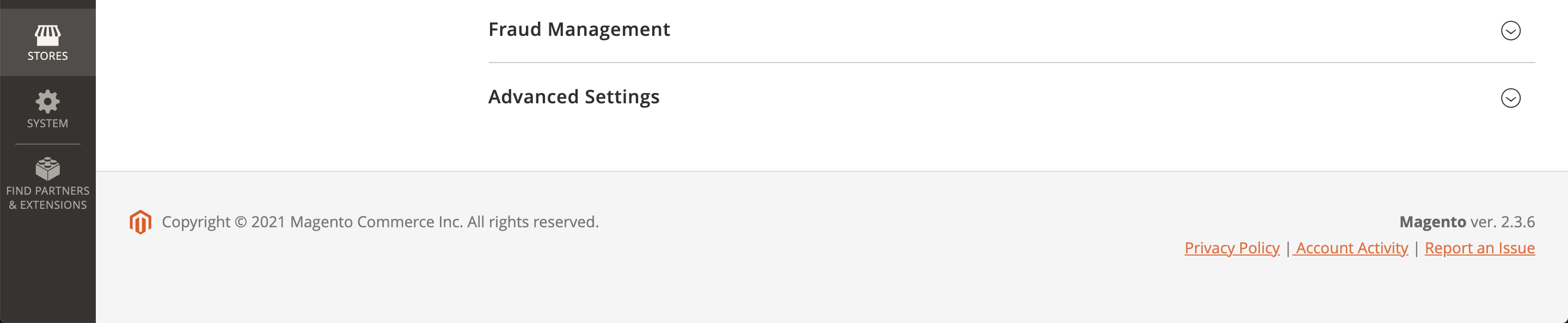
Global Payments supports both Open Source and Commerce edition of Magento starting from version 2.3. The current version of the Magento installed on your website can be found in the lower right corner of any backend page.
Configuration
Before proceeding with the configuration of the Global Payments extension, make sure that you have installed it following the installation instructions.
After installing the Global Payments extension, you can configure it in accordance with your business goals and the specifics of your web store.
From the Magento Admin, navigate to Stores -> Configuration -> Pronko Extensions -> Global Payments page.
You will see the extension's settings that you can configure.
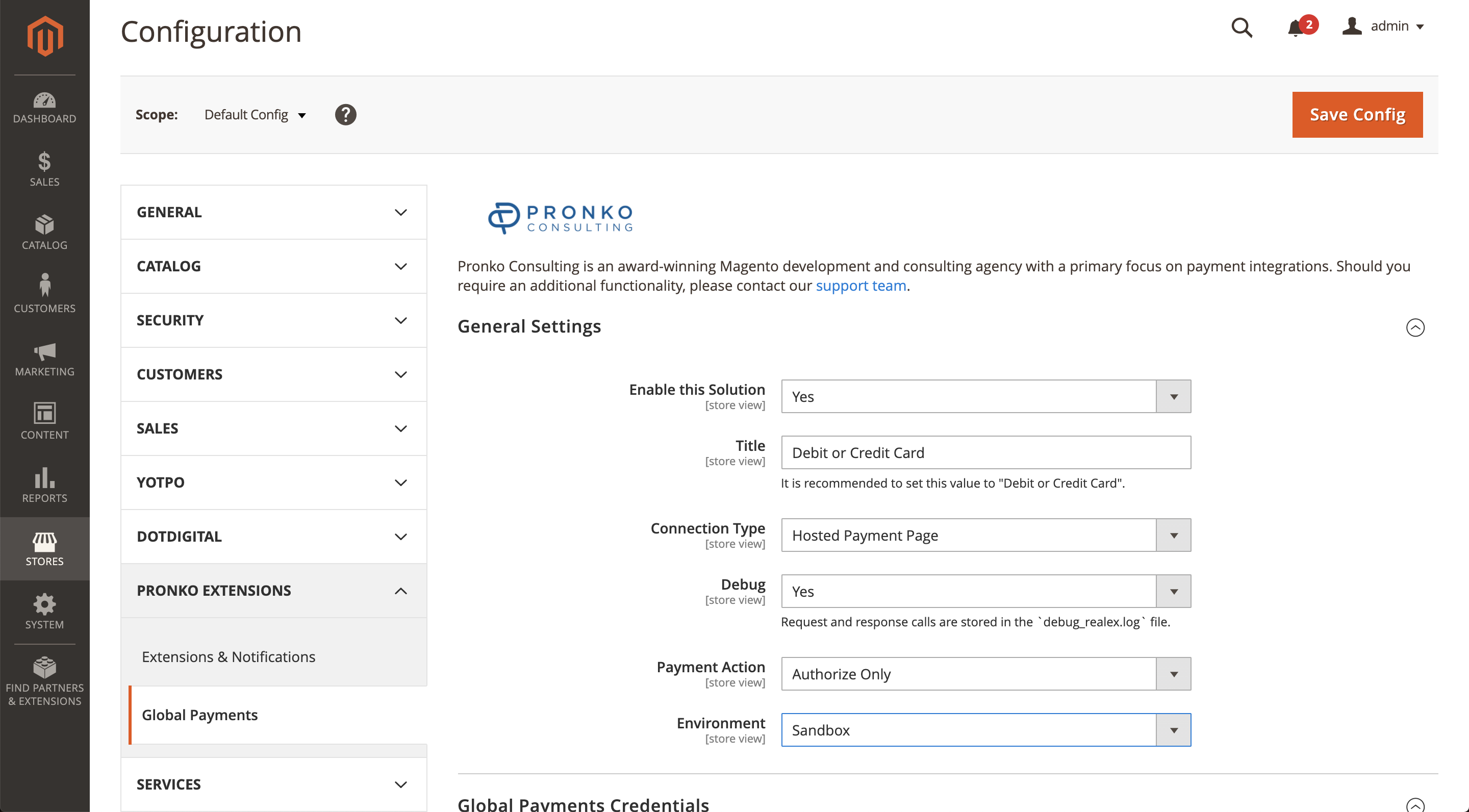
The Global Payments configuration settings are grouped into several sections.
General Settings - provides common configuration settings for the Global Payments. You can switch between test/live environments, choose to enable the integration etc.
Global Payments Credentials - this section requires you to provide API credentials for the integration between your web store and Global Payments. These credentials are provided by the Global Payments Support team.
Card Payments (API) - provides configuration settings for the Remote API/Card Payments integration type.
Hosted Payments Page - provides configuration settings for the Hosted Payments Page integration type.
Fraud Management - provides fraud configuration settings.
Advanced Settings - this section provides additional settings for the extension. You can configure minimum and maximum order amount, order status, currencies and countries, etc.