Magento 2 LiqPay
Introduction
LIQPAY is Europe's independent payment service provider (PSP) supporting the easiest payments for a website or mobile application instantly. It can be used as a single payment solution or added as an additional payment method. It accepts payments from more than 150 countries online through Mastercard/Visa cards, and Privat24 internet-bank. Also, it provides rapid funds crediting within a business day. With the help of LiqPay service, clients can make secure payments (two-step payments (hold), moto payments, protected payments) on a regular (token, subscription) or business basis (invoices, refunds and B2C (P2P credit).
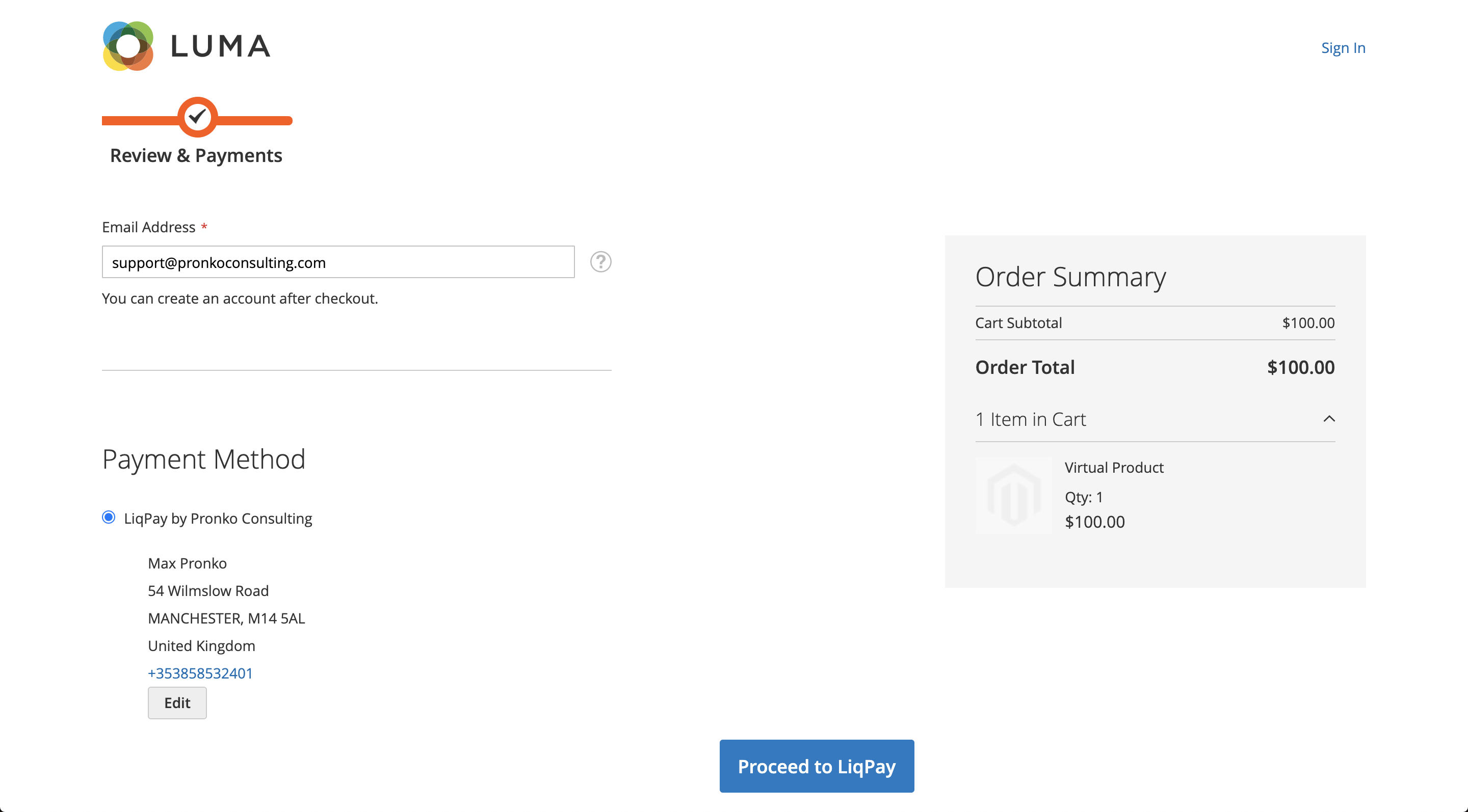
The LiqPay extension creates a convenient possibility of accepting credit card payment in your online store. By installing the LiqPay extension, you are getting an additional credit card payment method providing a secure transaction option to your customers. LiqPay is supported in 150 countries which gives you significant international business opportunities.
In addition to credit card payment processing, the LiqPay extension supports other features that the payment system offers, such as invoice issuance, refunds, and transfers to customer cards. With the LiqPay extension, you are providing great flexibility both for your web store and your customers.
The LiqPay extension supports all the security algorithms that the payment system uses. You can configure the security settings of the payment method to enable the highest level of protection for your online business.
Features
- Supports all major credit and debit cards: Visa, Visa Debit, MasterCard, Maestro
- Supports multi-currency and multi-accounts
- Provides transaction management from Magento Admin Choose between Authorize and Capture payments (customer's payment will be immediately captured) or Authorize Only online payments (in case additional stock or payment verifications should be performed)
- Provides Authorization Transaction information at Order View Page. Additional validation allows a store owner to see quickly the result of Address, CVN and Postcode data entered by a customer
- Allows to manage and report all transactions in a single page, and to export the reports into a CSV or an Excel file with just a few clicks
- Provides a comprehensive error validation which allows the system to notify a Merchant of any data errors or payment amount issues while sending a payment transaction
- Supports one-page checkout experience
- Ability to install PCI level 1-compliant Hosted Payment Page
- Ability to install 3D Secure support
- Fraud Management checks: CVN, 3D Secure, AVS, Cards, Amounts, Products, etc.
- Provides Authorization Transaction information at Order View Page. Additional validation allows store owner quickly see the result of Address, CVN and Post Code data entered by a customer
- Flexible configuration on your web store admin page
Security
LiqPay extension, when integrating with the LiqPay payment service provider, uses the LiqPay API that is a PCI SAQ A-EP compatible. A customer provides card information directly on a Merchant’s website payment form. Payment data transferred over the Merchant’s website server directly to the LiqPay server via the LiqPay API. Sensitive customer data is never stored on a Magento Application. All successful payments transactions are available from Magento Admin. This integration uses the LiqPay API (PCI SAQ A-EP) that gives you, the merchant, full control of the customer’s payment experience. Customer data is being entered into the Magento server, customer data is not stored on the Magento server.
Configuration
Before proceeding with the configuration of the extension, make sure that you have installed it following the installation instructions.
After installing the LiqPay extension, you can configure it in accordance with your business goals and the specifics of your web store.
From the Magento Admin, navigate to Stores -> Configuration -> Pronko Extensions -> LiqPay page.
You will see the extension's settings that you can configure.
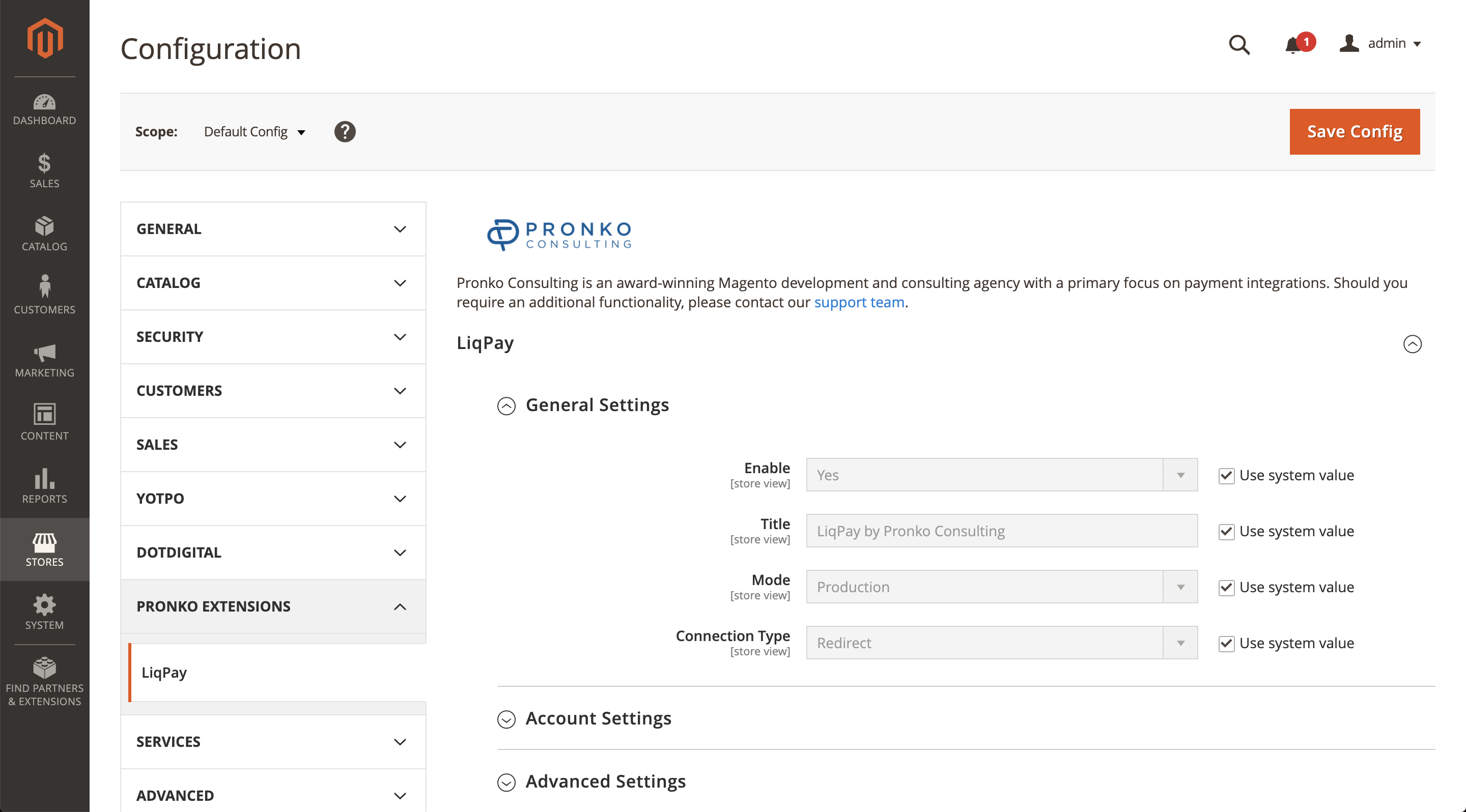
LiqPay configuration settings are grouped into several sections.
General Settings - provides common configuration settings for the LiqPay extension. You can switch between test/live environments, choose to enable the integration etc.
Credentials - this section requires you to provide API credentials for the integration between your web store and LiqPay.
Advanced Settings - this section provides additional settings for the extension. You can configure minimum and maximum order amount, order status, currencies and countries, etc.
Checkout Experience